Where Construct settings live
Which surface changes what, and how far each change reaches
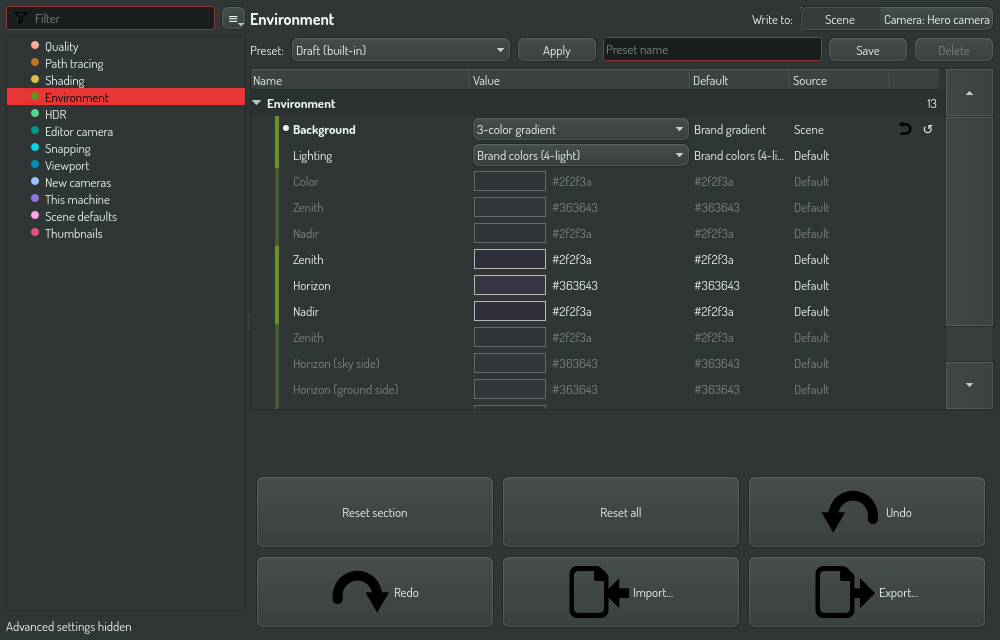
Construct keeps a setting at one of several levels, and the level you write at decides how far a change reaches. This page lists the levels, the surfaces that write them, and which settings each level can hold.
The surfaces
| Surface | Where it is | A change here reaches |
|---|---|---|
| Settings page, Write to: New scenes | The gear button in the toolbar, or Ctrl+, | No scene that exists. Only scenes and cameras you create later. The This machine settings apply to this computer at once |
| Settings page, Write to: Scene | The same page | Every camera in this document that has not overridden it |
| Settings page, Write to: Camera: ‹name› | The same page, while the viewport looks through a camera | That camera only |
| Camera parameters | Select a camera in the scene tree | The field of view, the planes and the frame of that camera |
| Rendering | The render button in the toolbar | That output job only |
Write to sits above the table of the settings page. The camera segment names the camera the viewport looks through, and it follows the viewport when you switch cameras. In free-orbit editor mode you look through no camera, so the segment is not there.
The one question worth asking
"If I change this, what else changes?"
- New scenes — nothing that exists today. Only scenes you create later.
- Scene — every camera in this document that has not overridden it.
- Camera — this camera only.
- Rendering — this output job only.
New scenes is a template
Scene and Camera hold live values. Change one and the viewport updates while you watch. The Source column says where each value comes from, and the revert button removes an override.
New scenes is not a parent of the scene. Nothing inherits from it. It is a template: Construct copies its values into a scene when you create the scene, and from that moment the two are unlinked.
That unlinking is the important part. A change at New scenes never
changes a scene that exists: not the one you have open, not one you saved
last year, and not one a colleague opens on another machine. That is what
lets a .construct file render the same everywhere.
The Scene defaults category of the window has two actions that copy between the template and the open scene:
| Action | Does | Undo |
|---|---|---|
| Save this scene as the default | Copies the values of this scene into New scenes. Scenes that exist do not change | One step, with Write to: New scenes chosen |
| Apply New scenes to this scene | Copies the values of New scenes into this scene. A setting that New scenes does not set gets its default. Asks first | One step of the document's undo history |
Reset is not a copy. With Write to: Scene, Reset and Reset all write the declared defaults, not the values of New scenes. Use Apply New scenes to this scene to get the template back.
Which level holds which settings
| Category | Levels | Notes |
|---|---|---|
| Quality, Path tracing, Shading, Environment, HDR | New scenes, Scene, Camera | The look and quality of the viewport. A render job can also carry them |
| Editor camera | Scene | How the free-orbit camera draws, for example Orthographic. Saved with the document, never a machine default |
| New cameras | New scenes | What a new camera starts with: field of view, planes, frame size, sensor and focal length. The camera keeps its own copy from then on |
| This machine | New scenes | Facts about this computer, such as Render on worker thread and Base folder. They apply at once and never travel with a document |
| Scene defaults | — | The two copy actions above |
| Output | New scenes, Scene, Render job | What a render writes: media type, format, codec, file names, camera, size. See Output and animation |
| Animation | Scene | The frame range and the frame rate of the timeline, which a render uses too |
| Thumbnails | — | Regenerate all thumbnails |
A setting that the chosen level cannot hold shows its value, but you cannot edit it there. For example, choose New scenes to change a This machine setting.
Some rows dim when they do not apply, and stay editable. A gradient color dims while the background is flat, and the parameters of a tone mapper dim while another tone mapper is chosen. You can set them before you switch.
Regenerate all thumbnails renders every primitive thumbnail again in a background job. The old thumbnails stay on screen until the new ones replace them. The action dims while thumbnails render.
Each row has a page. Help in the detail strip opens the page of the selected row in the help browser, over the Construct window. The back arrow of the browser closes it. A row with no page of its own opens this section.
Output and animation
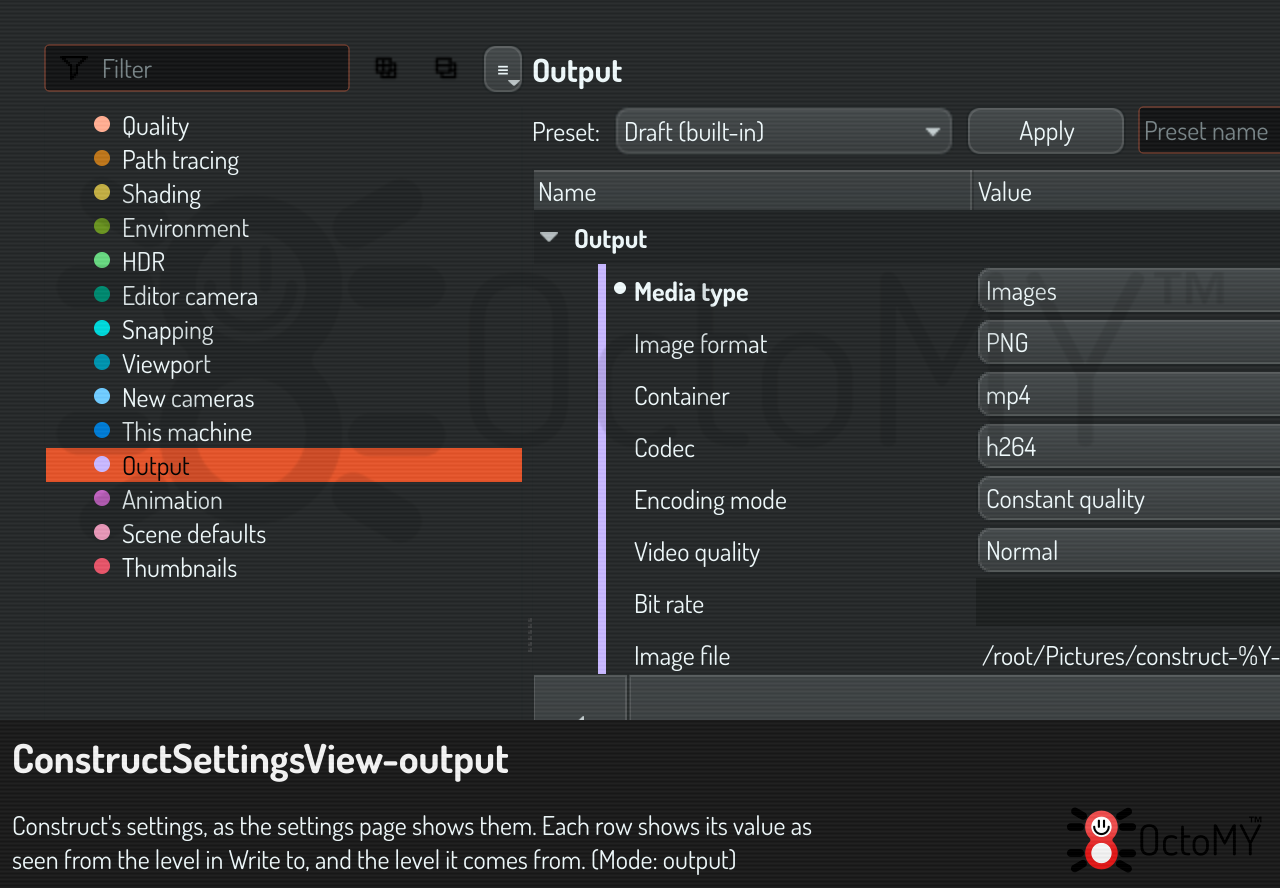
The Output settings say what a render writes:
- Media type: images or a video.
- Image format, or for a video its Container, Codec, Encoding mode, Video quality and Bit rate. The containers and codecs are the ones that passed this computer's codec check. While the check runs at startup the lists are empty, and a value you set meanwhile is kept and checked when the check ends.
- Image file, Image series files and Video file: where each kind of output goes. The tokens are replaced when the render starts.
- Camera, Size multiplier, Field overlays and Existing files.
- Render on the farm and Frames per farm job: render the frames on other machines with a GPU, in jobs of that many frames.
- Show legacy codecs, a setting of this computer.
A codec works in one container on a computer. If the codec you choose works in another container, its row shows a conflict that names the codecs the chosen container has.
The Output settings have three levels: New scenes, Scene, and Render job. The render-job level is what the Rendering window shows and changes. It is saved with the scene, so a scene opens with the render set up as you left it, and it can hold quality settings too, so one render can be finer than the viewport. A queued render copies the values; a later change does not change a render that is already in the queue.
The Animation settings are the scene's First frame, Last frame and Frame rate. The timeline shows them, and a render uses them. A first frame after the last one moves the last one along.
Rendering means producing output
The Rendering window is about making image and video files: where they go, what format, which camera, which frames, and what to do when the file is already there. Nothing else.
Quality and look used to live there too, which is why "rendering" was ambiguous. They are on the settings page now, where their level is visible.
The viewport mode overrides rows in the viewport only
A viewport mode sets some rows for the viewport: Clay, for example, turns bloom off and uses a plain background. The rows on the settings page keep their values, and a render of the scene uses them. So the viewport can show a value that differs from the row, and a render job does not see the mode.
Script it
The OPAL tasks of the config family read and
change these settings with schema: "construct". The levels are app (New
scenes), scene, camera and renderjob (the render job of the scene).
construct.render.queue queues the render of the render-job settings, as the
Rendering window's Queue render does. See
Export a rendered animation.
See also
- Inheriting and overriding settings — reading the Source column, creating an override, putting it back
- Find and change a setting — the settings page in every app
- Ray-marching quality — what the quality settings do
- Rendering modes — what the shading modes do