Event Flow
How LLM interactions are processed
Event Flow
How LLM interactions flow through OctoMY™, from user input to robot action.
Pro Tip
The event database is your debugging best friend. Every sensor reading, LLM decision, and command execution is logged with timestamps and correlation IDs. When something goes wrong, you can trace the exact sequence of events that led to the issue. Use the event query API to search historical events.
Overview
LLM interactions in OctoMY™ follow a structured flow:
User Input → LLM Processing → OPAL Validation → Strategic Layer → Barrier → Embedded Layer
Each stage has specific responsibilities and safety checks.
The event database
All platform events stream into a central event database:
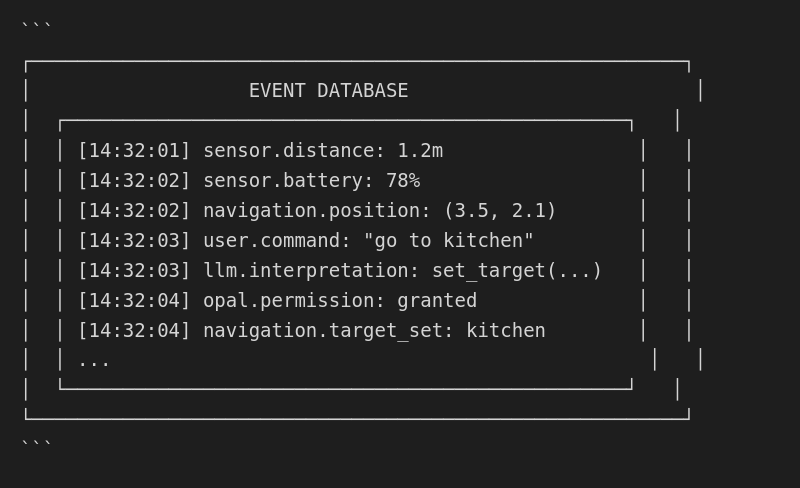
Event properties
| Property | Description |
|---|---|
| Timestamp | When the event occurred |
| Source | Component that generated it |
| Type | Category of event |
| Data | Event-specific payload |
| Correlation ID | Links related events |
Natural language command flow
When a user issues a natural language command:
Step 1: User input
User: "Go to the kitchen and check the temperature"
Step 2: LLM interpretation
The LLM parses intent and generates OPAL commands:
[
  {"command": "set_target", "location": "kitchen"},
  {"command": "query_sensor", "sensor": "temperature", "on_arrival": true}
]
Step 3: OPAL validation
Each command is validated:
Command 1: set_target
  ├─ Check permission: navigation.set_target
  ├─ Validate parameters: location exists
  └─ Result: APPROVED

Command 2: query_sensor
  ├─ Check permission: sensor.read
  ├─ Validate parameters: sensor exists
  └─ Result: APPROVED
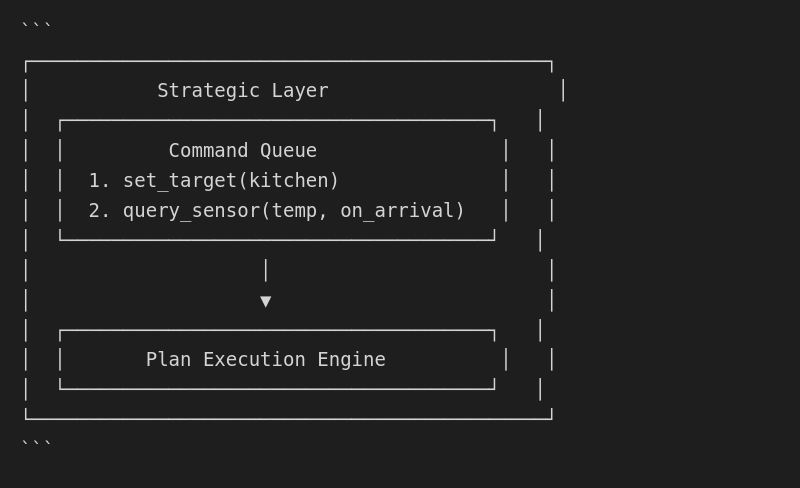
Step 4: Strategic layer execution
Commands are queued for execution:
Step 5: Abstract target generation
Strategic layer produces abstract targets:
Target: navigate_to
  location: kitchen
  callback: query_temperature
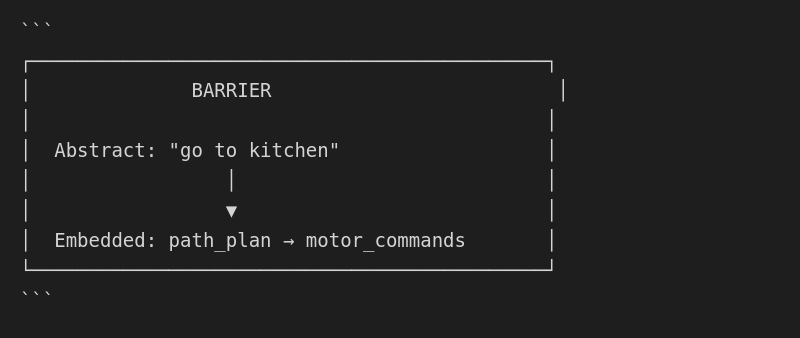
Step 6: Barrier crossing
Abstract targets cross to embedded layer:
Step 7: Embedded execution
Embedded layer executes safely:
Path Planner → Obstacle Avoidance → Motor Control
     │              │                    │
     └──────────────┴────────────────────┘
              Safety Monitors
Event-driven LLM reactions
LLMs can subscribe to events and react autonomously (with permissions):
Subscription setup
{
  "command": "subscribe",
  "event_type": "sensor.obstacle_detected",
  "handler": "evaluate_and_respond"
}
Event trigger
Event: sensor.obstacle_detected
  distance: 0.5m
  direction: front
LLM response
{
  "interpretation": "Obstacle blocking path",
  "action": {"command": "navigation.reroute"},
  "explanation": "Found alternative path around obstacle"
}
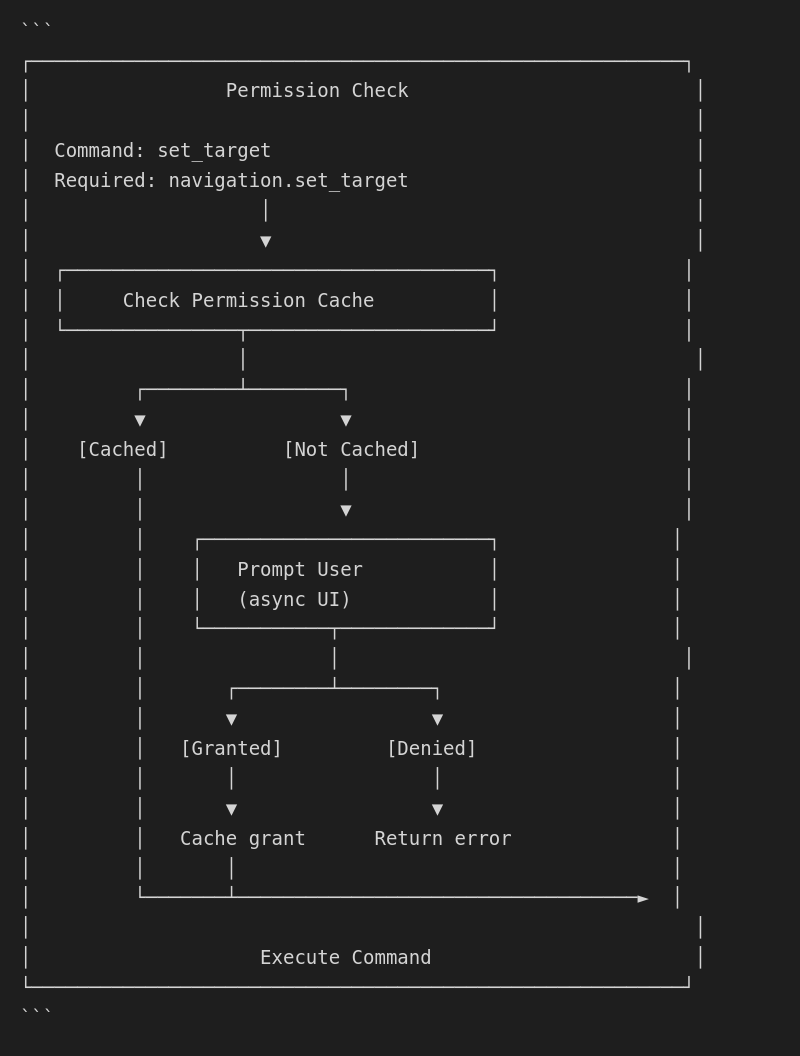
Permission flow
Detailed permission checking flow:
Error recovery flow
When errors occur:
Detection
Event: navigation.error
  type: path_blocked
  location: (2.1, 3.4)
LLM notification
{
  "event": "error",
  "context": "Navigation to kitchen failed",
  "reason": "Path blocked at (2.1, 3.4)",
  "options": ["reroute", "wait", "abort"]
}
LLM decision
{
  "decision": "reroute",
  "reasoning": "Alternative path available via living room"
}
Recovery execution
New path planned → Resume navigation
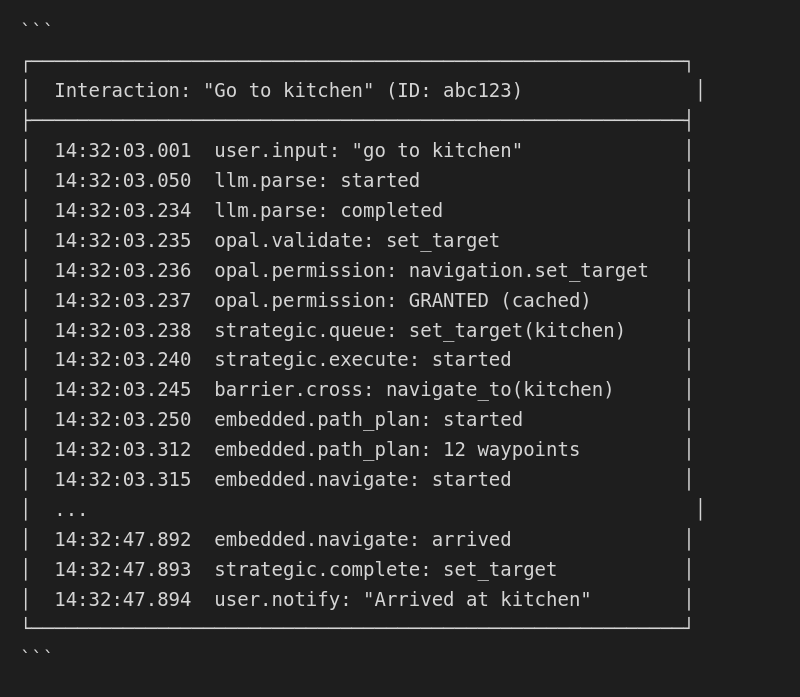
Audit trail
Complete audit trail for any interaction:
Real-time event access
LLMs can query historical events:
{
  "command": "query_events",
  "filter": {
    "type": "sensor.*",
    "since": "-5m"
  }
}

Response:
{
  "events": [
    {"timestamp": "...", "type": "sensor.distance", "value": 1.2},
    {"timestamp": "...", "type": "sensor.temperature", "value": 22.5},
    ...
  ]
}
This enables context-aware responses based on recent history.