Output Streams
stdout is data, stderr is diagnostics
Output streams
stdout is data. stderr is diagnostics.
Every OctoMY™ program follows that one rule. What a program produces — a schema, a version string, a summary, a mesh report — goes to standard output. Everything it has to say about producing it — progress, warnings, errors, the whole log — goes to standard error.
That is what makes the output scriptable. You can pipe a program's stdout straight into a parser without filtering it, and you still see the diagnostics on your terminal.
Pro Tip
If a command's output looks right on screen but breaks when you pipe it, you are almost certainly capturing both streams. Redirect them separately —
> data.json 2> run.log— and the problem usually disappears.
The worked example
construct schema prints a scene's parameter schema as JSON. Pipe it into any
JSON consumer with nothing in between:
construct schema scene.construct | jq -r '.parameters[].name'
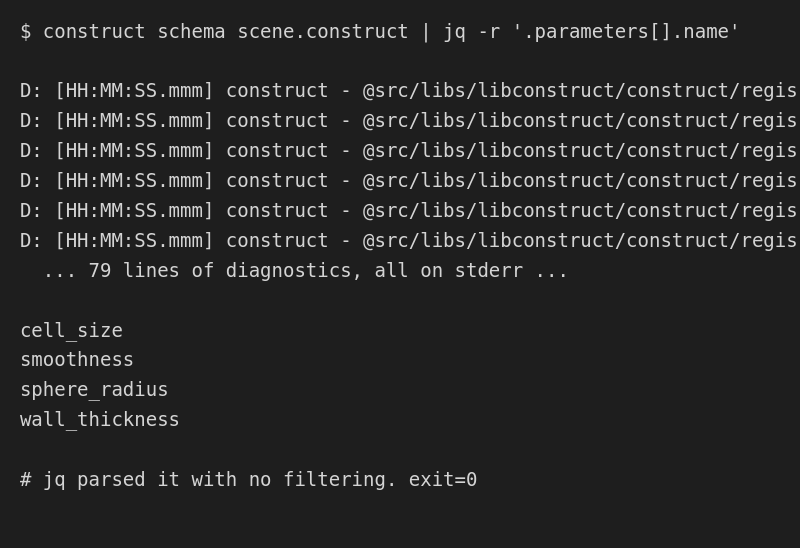
The diagnostics are still there — they went to stderr, so they appeared on your
terminal instead of into jq. That is the whole rule in one frame: the parser
got clean data, and you still got told what happened.
To keep them, send each stream to its own file:
construct schema scene.construct > schema.json 2> run.log
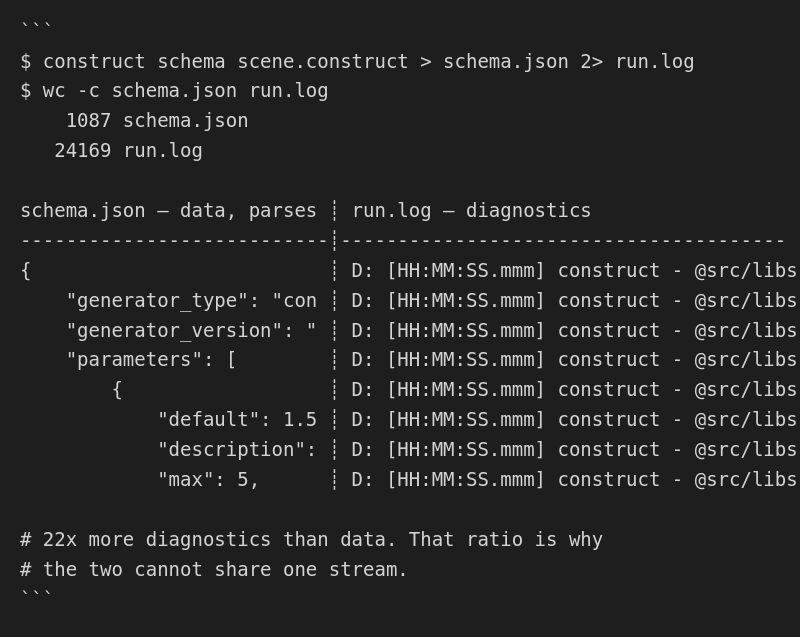
Two files, both useful. schema.json parses; run.log tells you what happened
while it was produced. Note the sizes — the log is 22 times the size of the
data. That ratio is exactly why the two cannot share a stream: a data format
that survives having twenty-two parts noise mixed into one part signal does not
exist.
Both frames above are generated by running the commands, not by transcribing them —
content/doc/scripts/screenshots/generate-stream-captures.sh, which also has a--checkmode that fails if the tool's real output has drifted away from the picture.
To discard the diagnostics entirely:
construct schema scene.construct 2>/dev/null > schema.json
Which stream carries what
Every machine-readable mode writes its result to stdout:
| Command | On stdout | Format |
|---|---|---|
construct schema <file> |
The scene's parameter schema | A single JSON object |
construct validate <file> |
ok: N vars, N instances, N roots |
One line, and it is the first line |
construct --version |
construct <version> |
One line |
construct --help |
Usage text | Plain text |
Everything else — every log line at every severity, all progress reporting, and every error message — is on stderr.
Exit status is independent of both, and is the thing to branch on in a script. See the Construct CLI reference for the exit codes.
A note for existing scripts
This is a behaviour change. Before August 2026, log lines at debug and
info severity were written to stdout, mixed in with the data. Warnings and
above already went to stderr.
If you have a script that captures our output, this is what changes:
| If your script… | Then… |
|---|---|
| pipes stdout into a parser and it failed on log noise | It now works. This was the bug. |
| captures stdout expecting to see log lines | Those lines are on stderr now. Add 2>&1 if you genuinely want them combined. |
| captures both streams together already | Nothing changes. |
| branches on exit status only | Nothing changes. |
If you ever worked around this by filtering our log format out of a data stream —
grepping away lines starting D: [ or I: [, for instance — that workaround is
no longer needed, and it is worth removing: it was throwing away any data line
that happened to start the same way.
Why it is worth relying on
The rule is enforced, not merely documented:
- A test emits a message at every
severity and asserts that stdout receives nothing at all. Checking only
debugwould let a regression through that moveddebugand leftinfobehind. - The two machine-readable modes above are asserted by parsing their output,
not by searching it. A test that searched for
ok:would keep passing while the stream was polluted; one that requires it on the first line does not. - A static guard runs on every change and rejects any new write to stdout that is not on a reviewed list, so the rule cannot quietly erode.
Programs that behave this way compose. Programs that do not, do not.