Run a recurring spec
Run the same work again on a schedule, and measure that the number goes down
Some work never ends: a lint debt, a count of raw owning pointers, a code
audit. Each run makes the number smaller, and other work makes it larger again.
A recurring spec runs that work again at the times of a schedule. Each run
measures one or more probes on main before the work, gives the work to
one lane, and measures the probes again on the lane's branch. Trove keeps each
measure, so you can read the trend of the number, run after run.
Recurring is a switch on an ordinary spec. It is not a different kind of spec. When you turn the switch off, every setting and the full history stay.
Open the recurring panel
- Open a project from Trove home. The project page opens on its Specs tab.
- Select the spec in the tree.
- Find the Recurring panel on the page of the spec. If the spec was never recurring, the panel is closed. Push Recurring to open it.
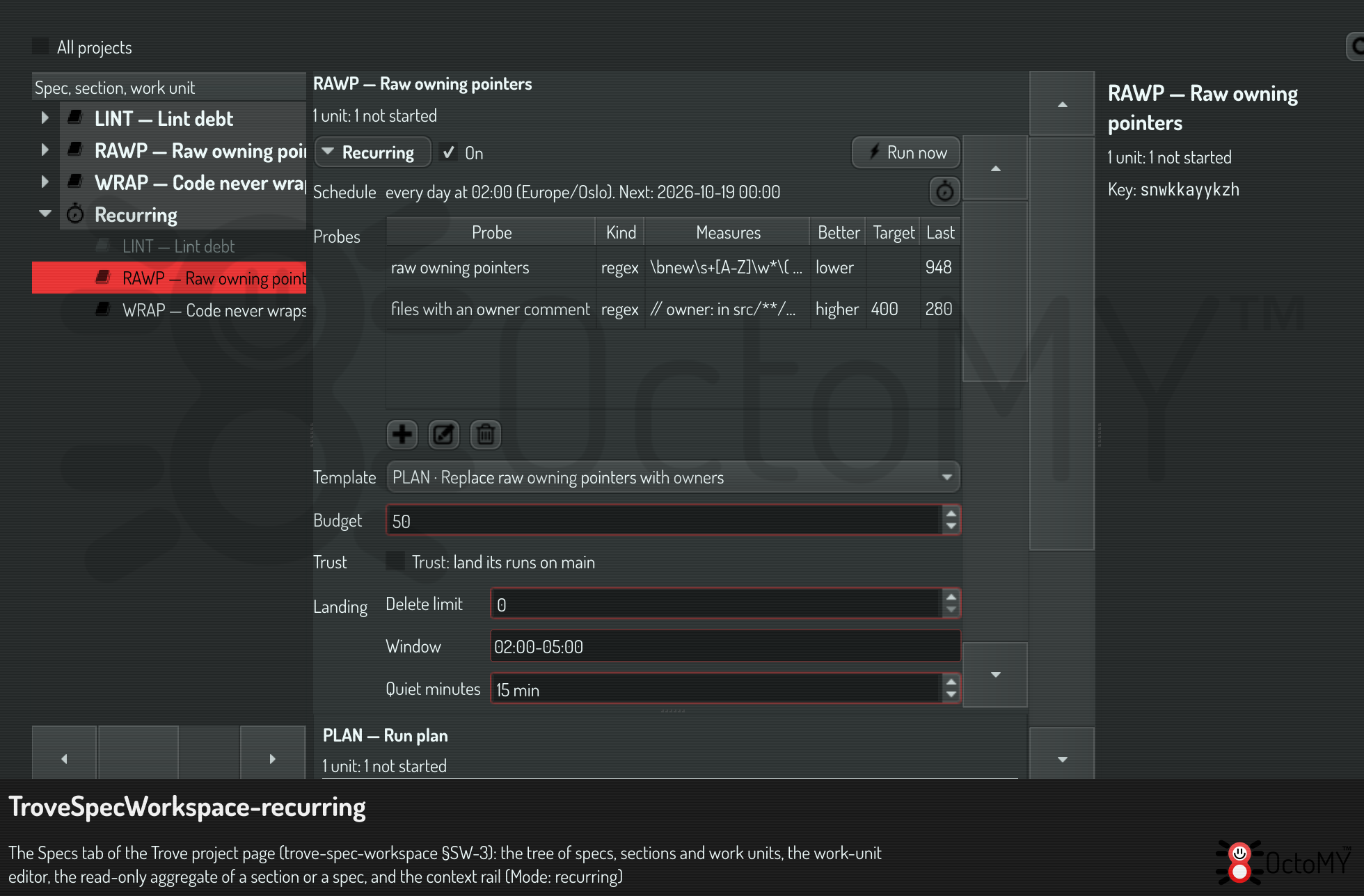
The tree shows a group Recurring beside Side quests. The group holds each spec whose switch is on, and each spec that has runs. The status cell of a spec shows the trend of its first probe, for example "1003 → 945, −58". The success color shows a better run. The danger color shows a worse run.
Add a probe
A probe gives one number for one checkout at one commit. A yes-or-no check gives 0 or 1. Each probe has a direction, lower is better or higher is better, and an optional target.
There are two kinds of probe:
| Kind | Counts | Config |
|---|---|---|
lint |
The findings of one lint check. A note is not a finding | check: the id of the check, as code-wrap |
regex |
The matches of a regular expression in the tracked files | pattern, include (globs), exclude (globs), count (matches, lines or files), case (sensitive or insensitive) |
- Push the add button below the probes table of the panel. The probe dialog opens.
- Type a name. The history and the chart use it.
- Choose the kind, and type its config.
- Choose the direction. The default is lower is better.
- If a value is good enough, type it as the target.
If the pattern of a regex probe is not valid, Trove refuses the probe. The refusal gives the error of Qt and the offset in the pattern.
A regex probe reads only the files that git tracks. A build folder or an
untracked file never counts. The trees of integration/lint/vendored-paths.txt
never count. A file that is not UTF-8 does not count, and the sample names it.
Each measure keeps the first 50 findings, with the path and the line. In the history, hold the pointer over a before or an after value to see the first 10 of them. The briefing of the next run starts with them.
Choose the template and the budget
The template is a unit of the spec. Its instruction tells the session what to do. Its Definition of Done is the Definition of Done of each run.
- Make a work unit in the spec that says what to fix, for example "Replace each raw owning pointer with a smart pointer".
- In the panel, choose that unit as the template.
- If a run must fix a limited number, type it as the budget. Leave the budget empty for "all".
Each run copies the template into a new unit in the section RUN of the spec.
The new unit has the title Run <n>: <template title>. Its briefing names each
probe with its before value, and the budget: "Fix at most 20." or "Fix all of
them in this run."
Trove adds the standard STD-MEASURE to the Definition of Done of each run.
Trove records it from the probes. A session can never record it.
Try it with Run now
Run now starts one run at once. It works also when the switch is off. So you can try a spec out with no schedule.
- Push Run now in the panel.
- Confirm the run. Run now asks each time, because it starts autonomous work.
- Follow the run in its row of the history.
A run goes through these states:
| State | What happens |
|---|---|
scheduled |
The schedule fired, or you pushed Run now |
measuring-before |
Trove measures each probe in a new, detached worktree at the head of origin/main |
dispatched |
Trove made the run's unit and gave it to a lane. A run with no free lane waits here |
working |
The session does the work |
verifying |
The verify turn of the session |
measuring-after |
Trove measures each probe on the head of the lane's branch |
judged |
Trove records STD-MEASURE and sets the status of the unit |
landing |
A trusted spec lands the run on main |
done, failed, canceled, landing-deferred |
The run ended. The outcome and the reason say why |
If every probe meets its target before the work, the run ends done with the
outcome at-target. No lane gets work.
Turn the switch on
- Tick On, beside Recurring at the top of the panel.
- If Trove names a missing part, add it. A recurring spec needs at least one probe and a template.
- Read the schedule in the panel: the rule in words and the next time.
The first time that you turn the switch on, Trove makes a
clockwork schedule for the spec. The
default rule is 0 2 * * *, every night at 02:00. To change the rule, push the
button beside the schedule. It opens the schedule on the Schedules page.
The schedule of a recurring spec has two policies:
- Wait for the last run. No run starts while the last run of the spec did not end.
- Catch up once. If the Hub was off at four firings, one run starts. A run
measures
mainas it is now. Four runs measure the same state four times.
Read the history and the chart
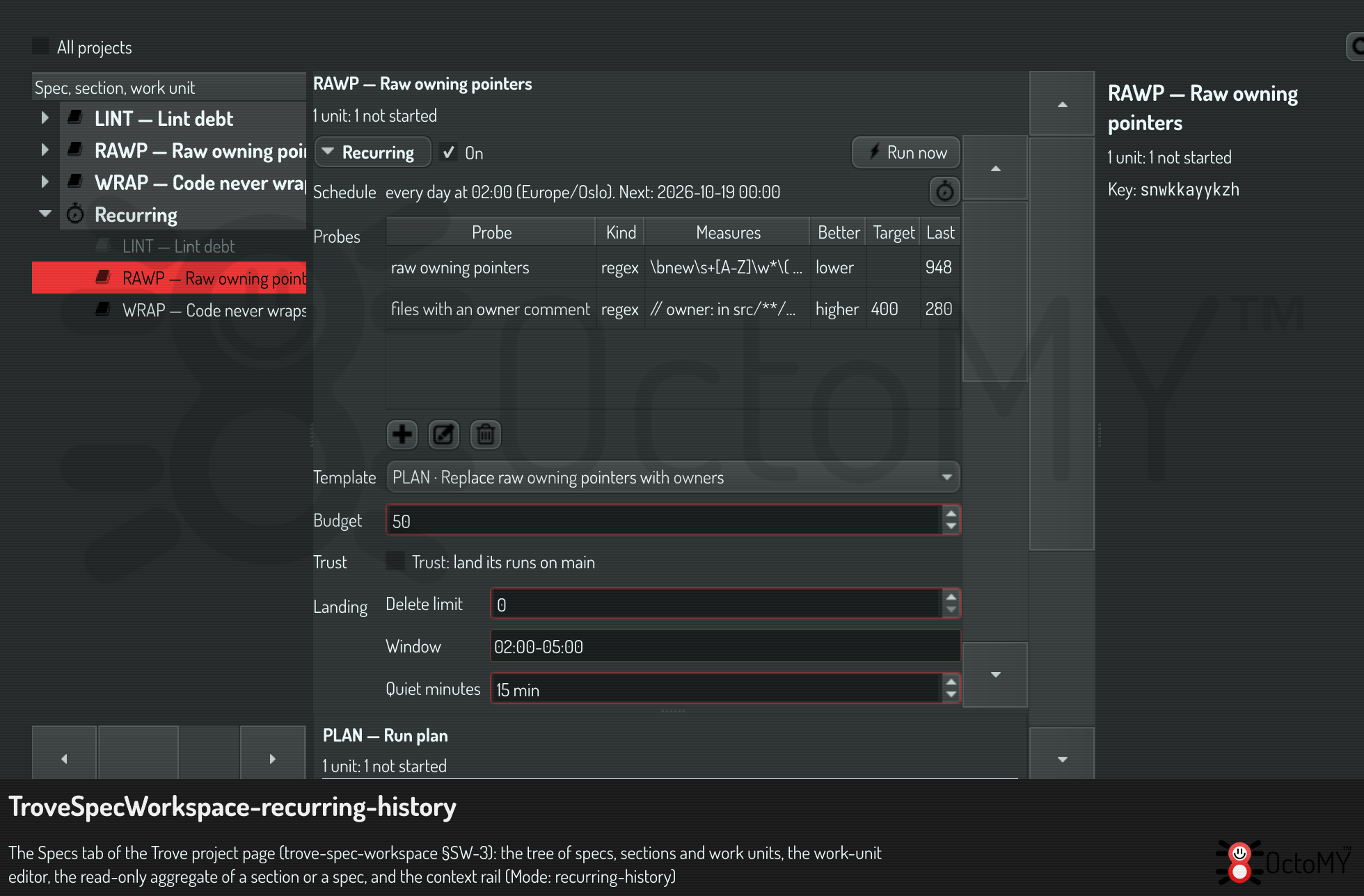
The history has one row for each run:
| Column | Meaning |
|---|---|
| Number | The ordinal of the run |
| Date | When the run started |
| Trigger | schedule, manual (Run now) or catch-up |
| Before | The value of the probe on main, before the work |
| After | The value on the lane's branch, after the work |
| Drift | The change that other work made since the last run |
| Improvement | Before minus after for lower is better. After minus before for higher is better |
| Outcome | How the run ended |
| Landed commit | The commit on main, for a run that landed |
Double-click a row to open the unit of the run.
Drift is the work of other people between two runs. If the last run
landed, drift is the before value of this run minus the value that the last
run landed. Example: a run lands at 945, and the next run starts at 952. The
drift is +7. If the last run did not land, the history says "the last run's
work is not on main". Then drift compares the two before values.
The chart shows the before and after values of each probe as lines, and the drift as bars. A deleted probe keeps its samples, and its line ends.
Turn the switch off
Clear On again. The schedule pauses, and no run starts at its times.
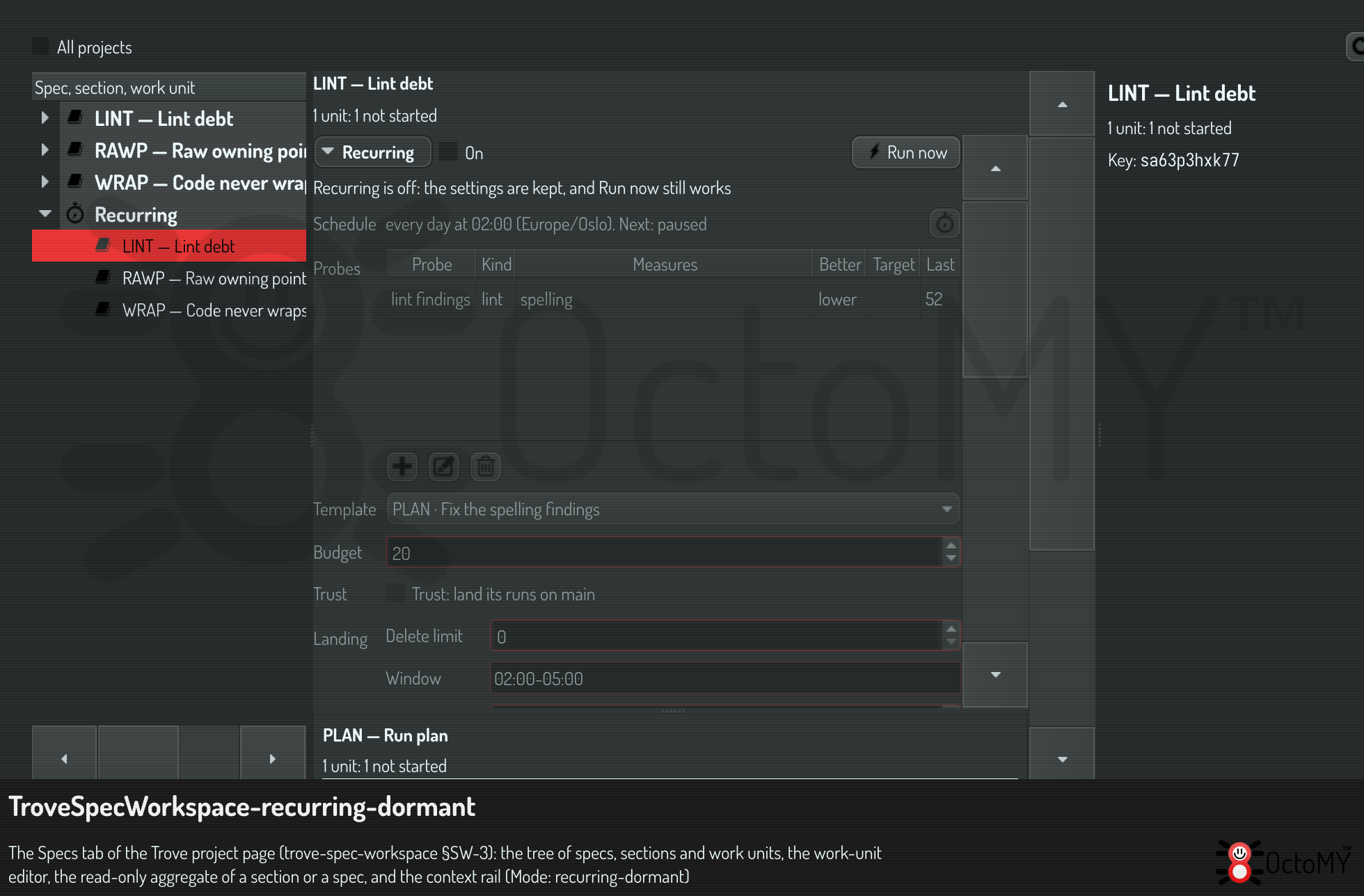
The spec stays in the Recurring group, greyed, with the badge "dormant". The panel says "Recurring is off: the settings are kept, and Run now still works". Every setting stays visible, and you can change it.
Do it through OPAL
The chat and a plan use the same tasks:
{"task": "spec.probe.put", "args": {"spec": "s0123456789", "name": "Raw owning pointers", "kind": "regex", "config": {"pattern": "\\bnew \\w+", "include": ["src/**/*.cpp"]}}}
{"task": "spec.recurring.set", "args": {"key": "s0123456789", "template": "u0123456789", "budget": "all", "enabled": "1"}}
{"task": "spec.run.start", "args": {"key": "s0123456789"}}
{"task": "spec.run.list", "args": {"key": "s0123456789"}}
A session measures its own work while it works, with measure.run:
trove call measure.run probe=m0123456789 folder="$PWD"
The OPAL reference has every task and argument.
If a run fails
Read the outcome and the reason of the run in the history:
| Outcome | What it means | What to do |
|---|---|---|
judgement |
A probe is worse after the run, or no probe is better | Read the findings of the after sample. Make the template more specific |
session |
The session ended before its verify turn | Open the unit of the run, and read the session |
restart |
The Hub stopped while the session worked | Push Run now, or wait for the next firing |
definition-of-done |
The unit did not meet its Definition of Done | Open the unit, and read what is missing |
error |
Trove did not measure, make the unit or find a lane | Read the reason. It names the part that failed |
canceled |
Somebody canceled the run with spec.run.cancel |
— |