Share a machine with the fleet
Any OctoMY node can run batch jobs for other nodes, and can decline to. This page covers the setting, and what each choice actually gives up.
The setting is a pair
A node answers two questions separately:
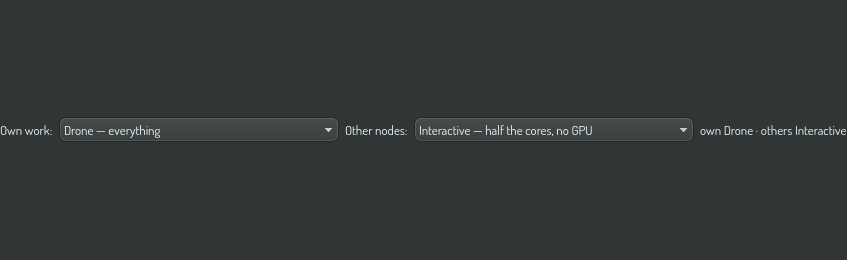
- How much of itself does it offer to its own queue?
- How much does it offer to other nodes' queues?
They are independent, and that is the point. The arrangement most people want is a workstation that runs its own studies at full speed and lends nothing to anybody — and that is one setting, not a special case.
You will find both in the batch panel, side by side, because they are a pair.
The four modes
| Mode | Offers | Use it when |
|---|---|---|
Interactive |
Half the cores, a quarter of the memory, no GPU | You are sitting at this machine and using it |
Background |
Most cores, half the memory, the GPU when the screen is idle | The machine is yours but you have stepped away |
Drone |
Everything | The machine exists to run jobs |
Off |
Nothing | You want it left alone |
Two things are worth knowing before you pick one.
A mode is a table, not a percentage. Interactive does not mean "50% of everything". It means half the cores and a quarter of the memory and no GPU at all — because a machine you are using can spare cores far more comfortably than it can spare the GPU driving your screen.
A mode change never disturbs a job that is already running. Setting a node to Off does not kill anything. It stops new work being admitted, and the jobs in flight finish normally. Nothing in this system kills running work to make room.
What each choice gives up
This is a real trade, so it is worth stating plainly.
Choosing Drone on the machine in front of you means a large job can take every core you have. The machine will still respond — nothing is oversubscribed — but a compile you start yourself will be competing with the fleet's work for the same cores.
Choosing Interactive means the fleet gets roughly half your machine. On a busy fleet that is the difference between your box being useful and being ignored.
Choosing Off for remote work while keeping Drone locally is not selfish, and it is a normal thing to want. A workstation with a large local study running is more useful to everybody finishing that study than it is lending out a quarter of itself.
Doing it from an agent
Before a long unattended run, an agent can hand a machine over and give it back afterwards:
batch.node.mode          # read or set the local and remote mode
batch.node.capacity      # advertised, reserved and measured, per resource
batch.executors.list     # who else is available, and what they are running
The convention on shared machines is announce, do not ask: check whether somebody already holds the box, say on the cross-session channel that you are taking it, and free the space you need yourself.
Checking it worked
The header chip shows both numbers:

Left is this machine against its budget, right is everything running elsewhere. If you set a node to Off for remote work and the right-hand number keeps climbing, the jobs are being placed somewhere else — which is the system working.
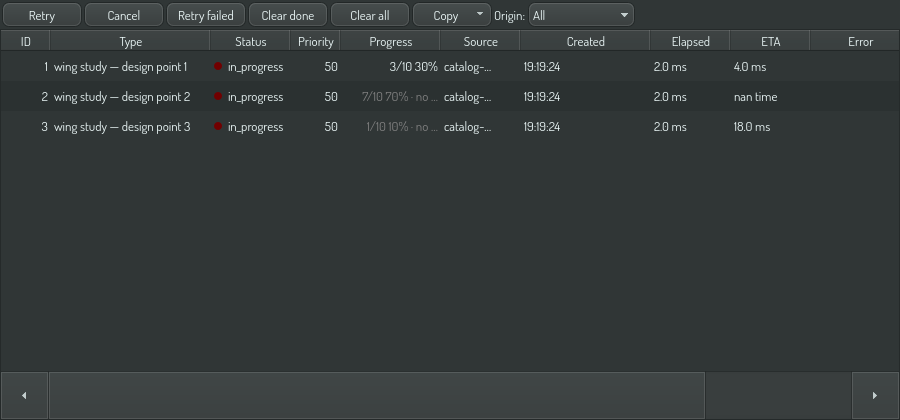
The job list says the same thing one row at a time. The Where column reads local for work on this machine, and names the executor for everything else: