Find out why a job is not running
A job sitting at Pending is not one situation. It is three, and they need three different responses. The job list tells you which one you have.
Read the reason on the row
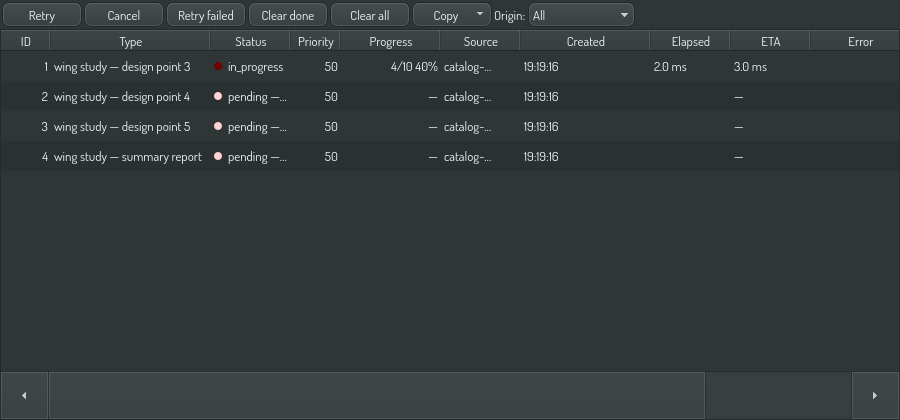
A pending job carries its reason next to its status:
Pending — no executor: needs example.com/cfd-cores 16, best offer 8
Pending — waiting: local budget full (2/2 guaranteed)
Pending — blocked: depends on job 4471
No executor
Nothing on the fleet can run this job at all.
The reason names what the job asked for and the best offer anybody made. In the example above, the job needs sixteen of something and the most generous node has eight — so waiting will not help. Something has to change:
- Run it on a bigger machine, if one exists.
- Reduce what the job requests, if it asked for more than it needs. Check the job detail view: it shows the request against what similar jobs actually used, and a job type that consistently asks for four times what it uses has a wrong declaration.
- Bring a node online that has the resource. If the resource is a licence or a solver, the node needs it installed before it will advertise it.
A common cause is a resource nobody advertises. A node that cannot measure a resource does not advertise it at all — so a job asking for example.com/su2-processes will not place anywhere until at least one node can detect the solver.
Waiting
The work is admissible, the machine is simply full.
This one needs patience and nothing else. The number in brackets is the budget: 2/2 guaranteed means two reservations are held out of two available.
It resolves on its own as running jobs finish. If it is not resolving:
- Check the header chip. If the local number is at its ceiling and the remote number is zero, nothing is being sent to the fleet — look at whether this node's remote mode is
Off, or whether the job type isLocalOnly. - Raise the node's mode.
Interactiveoffers half the cores;BackgroundorDroneoffers more.
Low-priority work is deferred before high-priority work, but it is not starved: a job's effective priority rises the longer it waits, so a BestEffort job eventually outranks newly-arrived Guaranteed work. If a job has been waiting long enough for that to matter, the interface says so.
Blocked
Another job has to finish first.
The reason names the job it is waiting for. Find that job and read its status — the answer is usually one of the other two situations, one step upstream. A chain of blocked jobs traces back to a single job that cannot place.
If the job it depends on has already finished, that is a defect worth reporting rather than working around.
On another node
A job can wait, or stop, because of the node it was sent to. The job's log and its error name the node by the first eight characters of its id.
- No worker offers the type. A worker runs only the job types it offers, and refuses the rest:
"this node does not offer job type …". Check the worker's offered types with
batch.node.offer, or let the fleet's job types set them when it buys the machine. - The worker is
Off. A node whose remote mode isOffrefuses all work for other nodes. Read its mode withbatch.node.mode. - An input did not arrive. The job's files are sent to the worker before it starts. If the link fails on the way, the job waits and is sent again. If an input is on no node at all, the job fails, naming the input.
- The worker finished, and the result has not come back. The worker keeps the result and sends
it again when the link returns, first after two seconds and then less often, up to once a minute.
The job reads
in progressuntil then. - The job was lost three times. A job whose run is lost three times, each time with no answer from its worker, fails instead of being sent again: the job itself can be what ends its workers.
A remote job's progress and log lines come back once a second, with the worker's id in front of
each line. batch.job.get shows both.
If there is no reason at all
A pending job with no reason has not been offered to the scheduler yet. That normally means the queue has not run a dispatch pass since it was submitted, and resolves within a second.
If it persists, the job type has no worker registered — nothing in the process knows how to run it. That usually means a library was not loaded, or the job type string has a typo.
Asking from an agent
The same three answers are available without opening the interface:
batch.job.get {"jobId": "4471"}          # the record, its resources, and the pending reason
batch.executors.explain {"job": "4471"}  # what nothing satisfied, with the numbers
batch.executors.list                     # who is out there, including who has not answered
batch.drift {"jobType": "cfd/solve"}     # what this job type declares against what it uses
batch.executors.explain is the one that names the number. It answers for a queued job, for a job type, or for a requirement that does not exist yet — so you can ask whether a job would place before you submit a thousand of them.
batch.drift needs at least twenty runs of a job type before it reports anything. Drift computed from two runs is not drift.