Build a branded edition
Ship OctoMY™ applications under your own brand: names, colors, logo and watermark, all from one small directory of data.
Pro Tip
Every build already carries the edition in
integration/editions/octomy/— you only need this page when you brand a build as something else, or when you want to understand where the colors come from.
What an edition is
An edition is one brand identity: the organization and product names, one seed color per application (the whole palette is computed from it), the 3D viewport background pair, and the logo and watermark assets. The build compiles the edition into the binaries at resolve time — brand identity is immutable at runtime on purpose.
An edition is a directory:
my-edition/
  edition.json      # the data — names, seeds, viewport, assets
  logo.svg          # only assets the edition brings itself; optional
The default edition lives in the repository at integration/editions/octomy/. Every field of edition.json is specified in the edition schema reference; the walk below covers what each section is for.
edition.json, section by section
{
  "schema": 1,
  "id": "my-edition",
  "names": {
    "organization": "Example Corp™",
    "organizationAscii": "Example Corp",
    "domain": "example.com",
    "brand": "Example™",
    "app": "Example App™",
    "suite": "the Example applications"
  },
  "site":    { "url": "https://example.com" },
  "license": { "name": "proprietary" },
  "apps": ["construct"],
  "viewport": {
    "backgroundBottom": "#272727",
    "backgroundTop": "#2f2d2f"
  },
  "seeds": {
    "agent":       { "seed": "#e83636" },
    "remote":      { "seed": "#36bee8" },
    "hub":         { "seed": "#36e843" },
    "zoo":         { "seed": "#d18000" },
    "construct":   { "seed": "#e2552c" },
    "bahn":        { "seed": "#ffffff" },
    "singularity": { "seed": "#ffffff" },
    "auda":        { "seed": "#ffffff" }
  },
  "assets": {
    "logo":      "logo.svg",
    "watermark": "src/libs/libres/resources/images/octomy_watermark.svg"
  }
}
idmust equal the directory name — a copy-paste that forgets the rename fails the resolve instead of shipping under the wrong key.namescarries the display forms (trademark symbols welcome) plusorganizationAscii, the pure-ASCII form used for every data, config and cache path on disk. It is authored, never derived: a transliteration an algorithm picked for you is not a name you chose.viewportis the color pair behind the 3D geometry in Construct — an edition owns what its scene looks like behind the models the same way it owns the logo.seedsgives every application its one seed color. The palette — window shades, text shades, selection highlight, the works — is computed from that seed, so one value restyles the whole application. A seed may carry an optionalbackgroundto pin the window color instead of deriving it.site,licenseand the optionalsourcegive the values that pages print: the site the apps link, the license a page names, and the address of the source.names.appandnames.suiteare the names pages print for the application and its suite.appsselects the apps the edition ships, by their ids inintegration/editions/apps.json. The help of such a build holds only the pages of those apps, of what they contain, and the pages for every app, so a reader never meets a page about an app they do not have. Leave the key out to ship every app. A page for developers shows only in an edition that listsdevelopers, or has noappskey.assetsnames the logo and watermark by relative path, plus an optionalwindowmap with one window icon per application. An application you skip shows the "NO EDITION" placeholder in its title bar — loud on purpose, so a half-branded package cannot pass for a finished one.
How asset paths resolve
An asset path is tried against the edition directory first, then against the project root. The narrow scope wins so an edition that brings its own logo.svg beats a project file of the same name.
"logo": "logo.svg"
…resolves to my-edition/logo.svg when that file exists — the edition brought it.
"watermark": "src/libs/libres/resources/images/octomy_watermark.svg"
…misses in the edition directory and resolves against the project root — the edition reuses a stock asset. If a path resolves in neither place, the resolve fails and names both directories it tried.
Building with an edition
With kiln, the default build path, name the directory in the checkout's
.kiln.local, then build as usual. edition.dir is a key of the root
.kiln, which names integration/editions/octomy; the line in .kiln.local
wins for this machine:
printf '%s\n' 'edition.dir = /absolute/path/to/my-edition' >> .kiln.local
kiln build
On the qbs path, the second path until qbs retires, point the resolve at the directory and build as usual:
qbs resolve project.editionDir:/absolute/path/to/my-edition
qbs build
The build validates edition.json, generates the branding header and resource bundle, and every product picks them up. Editing edition.json re-runs the generation on the next build (on the qbs path, the next resolve) — no clean rebuild needed.
The probe validates strictly inside the sections it owns: a typo like "organisation" is an error, not a silently ignored key. Sections it does not own (packaging metadata for your installer pipeline, for example) pass through untouched, so one file can serve both this build and your packaging tools.
What the seeds look like
The same logo widget under two different application seeds — the palette around it is computed entirely from each application's one seed color:
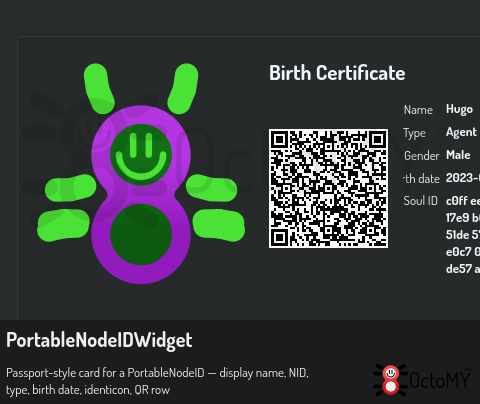
The node identity card picks its color from the node type's seed:
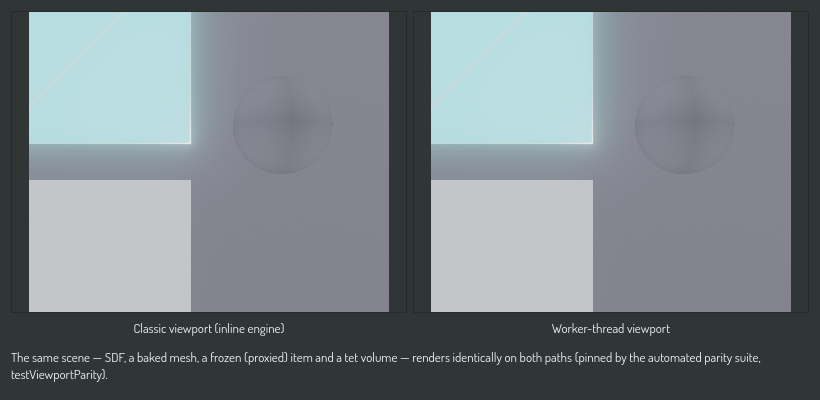
And the viewport background pair, rendered by the real viewport producers:
The build with no edition
A build whose edition.dir is unset has no edition. With kiln, a line with
no value in .kiln.local unsets the root's, then build as usual:
printf '%s\n' 'edition.dir =' >> .kiln.local
kiln build
On the qbs path, the second path until qbs retires:
qbs resolve project.editionDir:""
This is deliberately loud: every palette seeds white, the viewport background pair is black, and a "NO EDITION" placeholder appears where the logo was. A build that lost its edition must look broken from across the room — the silent alternative is how a wrong-brand binary ships without anyone noticing. If you see the white-and-black look, your edition.dir did not reach the build (on the qbs path, your project.editionDir did not reach the resolve).
See also
- Edition schema reference — every field, type, requirement and fallback
- Build from source — the general build guide