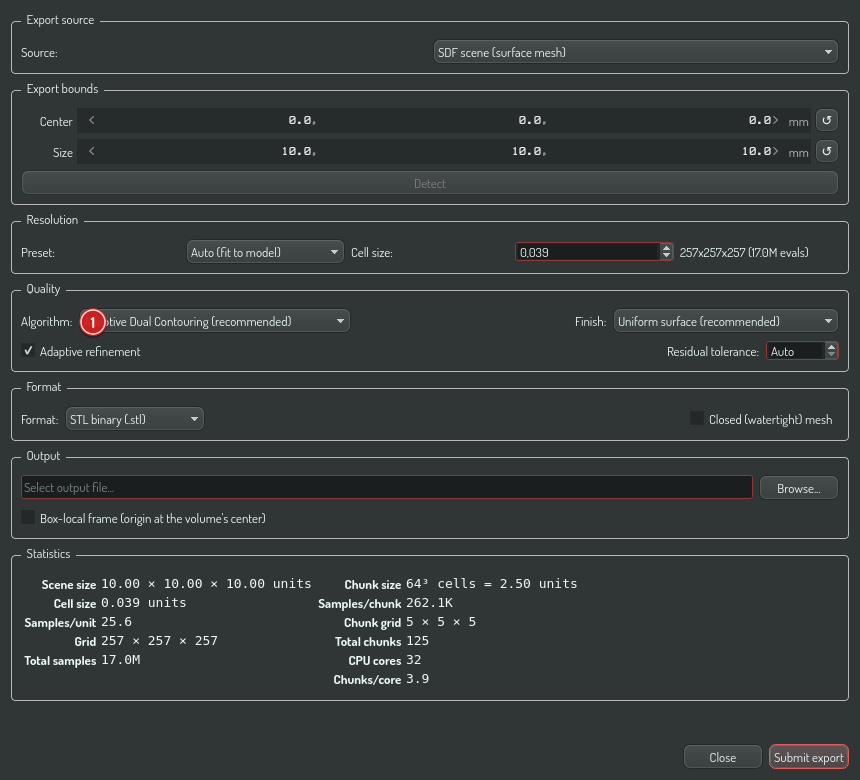
The algorithm and post-process controls in the mesh export dialog
Choose export quality
This walkthrough covers the Quality controls in the mesh export dialog: which algorithm extracts the surface, and what the post-process chain does to it afterwards.
Open the export dialog
- In Construct, press the Export button in the toolbar.
- Pick SDF scene (surface mesh) as the source.
Pick the algorithm
The Algorithm box selects the surface extractor:
- Adaptive Dual Contouring (recommended) — places one vertex per cell on the feature the SDF defines, so edges and corners come out exactly as modelled, and it refines the octree only where the surface has detail. A plain box collapses to its exact 12-triangle mesh.
- Dual Contouring (uniform grid) — the same feature-preserving extraction on a uniform grid.
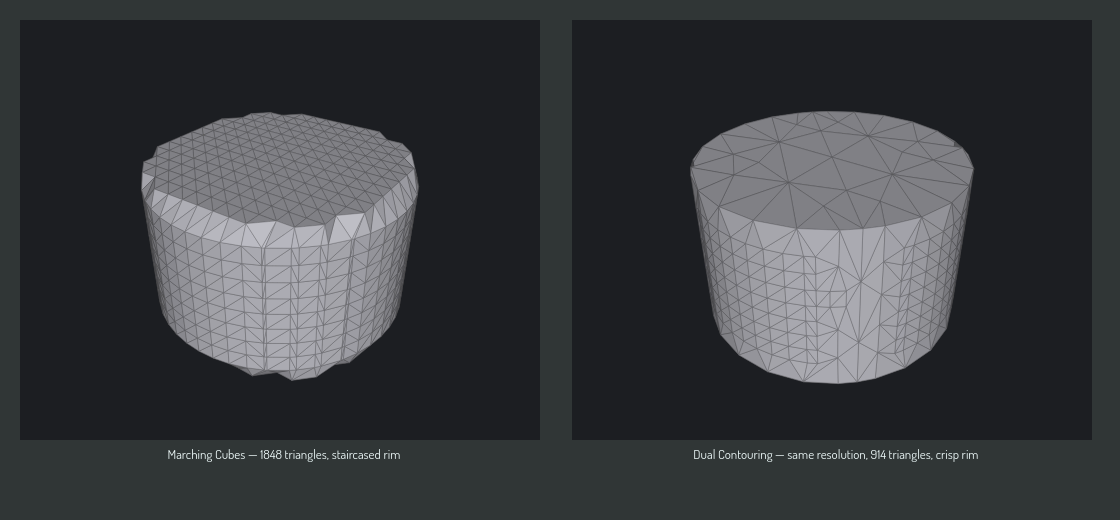
- Marching Cubes (legacy) — the previous exporter, which can only place vertices on grid edges. At any finite resolution, sharp features become a staircase.
Here is the same cylinder, exported by both at the same resolution:
Resolution still matters
The Resolution preset sets the sampling density (cell size). Dual Contouring gets the features right at any resolution, but overall surface detail — how faithfully curved regions are followed — still scales with it. Start with the default preset; drop to a finer cell size only if curved surfaces look faceted.
Optimize mesh
Checking Optimize mesh runs the post-process chain after extraction:
- Weld — merge duplicate vertices.
- Surface projection — Newton-snap every vertex onto the exact SDF surface (feature vertices stay on their edges).
- Coplanar merge — retriangulate flat regions (a cylinder cap becomes a fan over its rim).
- Decimate — feature-aware simplification to roughly half the triangles.
Pipeline definitions (see Mesh Lab) can additionally run a full isotropic remesh step (remesh(edgeLen)) that re-samples the surface toward a uniform triangle size while keeping sharp features.
The result stays watertight and manifold — the pipeline re-validates and rolls back any step that would break that guarantee.
Watertightness
Keep Closed (watertight) mesh checked for printing: it caps the surface where your geometry crosses the export bounds, so the file has no open holes.
Verifying the result
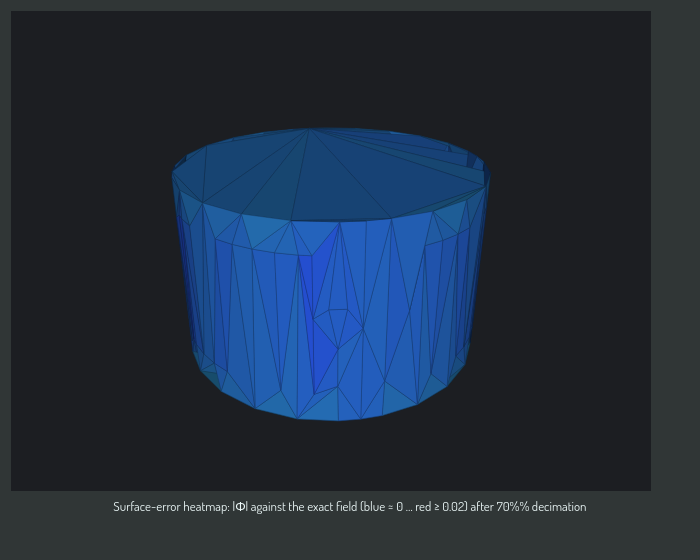
To measure rather than eyeball export quality — surface error against the exact SDF, feature fidelity, triangle counts — see Mesh Lab, which renders a surface-error heatmap like this: