Ask OPAL to look at your scene
OPAL, the in-app assistant, can see your construct scene. When something looks wrong and it is easier to point than to describe, ask OPAL to look at it.
This is the difference between an exchange like this:
You: the spokes are wrong OPAL: which spokes? Are they too many, too few, unevenly spaced, or the wrong length?
and one where OPAL simply looks first and tells you what it sees.
Just ask
There is nothing to enable. Ask a question that a picture would answer:
- "Look at the handwheel and tell me if the spokes are evenly spaced."
- "Is this symmetric front to back?"
- "Which way is the bracket facing?"
OPAL decides how to look, takes the picture, and answers from it. You will see the image it took in the conversation, so you can check that it looked at the right thing.
Three ways it can look, and why the difference matters
OPAL picks one of these. Knowing what they are helps you ask for the right one when you care.
A thumbnail is the cheapest look by a wide margin — roughly a hundredth of the cost of a full window. It shows one primitive from a fixed angle, usually straight from the cache with no rendering at all. It is the right answer to "what is this piece?" and the wrong answer to anything about arrangement, because it shows one subject from one canned viewpoint.
A snapshot renders your scene from a camera OPAL places, at whatever angle answers the question. Ask for a specific viewpoint and you will get it.
A six-face box is the one to ask for when the question is about shape, symmetry or orientation. OPAL renders your subject from all six directions — front, back, left, right, top, bottom — and packs them into a single labelled image where every face shares one scale. Because the scale is shared, a feature that measures ten pixels on one face measures ten on the next, so uneven spacing and mirrored geometry become obvious rather than arguable.
The six faces use a flat (orthographic) projection on purpose. A perspective view makes the far side of an object smaller than the near side, which is exactly what disguises an asymmetry you are trying to find.
Why a picture is not always the answer
Two limits are worth knowing.
Images cost budget. A picture is charged by its area, so a full-window capture costs far more of the conversation's budget than a small one. OPAL prefers the cheap options already, but a conversation full of large captures will hit the model's limit sooner than one full of text.
Your model has to accept images. Most current online Claude models do. If the model you selected does not, OPAL says so and names it instead of guessing. Change it under LLM settings in the chat overlay's menu.
Give OPAL a 3D model as a reference
To show OPAL a part, give it the part's file: an STL, OBJ, PLY or VTK file.
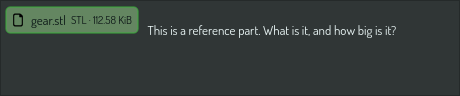
- Drop the file on the chat, or paste its path. It shows as a chip with its name and size.
- Or drop a folder or a zip that holds it, and name the file in your question.
Then ask, for example "This is a reference part. What is it, and how big is it?". OPAL does not read the file. It imports the file into the scene as an item, looks at it, and takes the sizes from the item's bounds. It tells you which item it added. The import is one undo step: delete the item, or ask OPAL to remove it, when you do not want to keep it.
A file inside a zip is first written to the references folder of your
Construct work folder (by default Desktop/Construct/references/), because
the item needs a file that stays.
What OPAL cannot do with a picture
It can name what it sees — "the third spoke from the top is short" — but it cannot hand you back a click. Naming a pixel and turning that into a selected item is not something it can do, so expect it to describe the fault and propose a change, not to select the offending piece for you.
It also cannot draw. OPAL reads images and does not produce them, so it will never answer a modelling question with a sketch.
Point OPAL at a page
A picture of your scene shows OPAL what you made. A page shows it what you mean to make. Put the URL in your message, or in a note you attach, and ask:
- "Build the bracket on this page: https://www.example.com/servo-bracket.html"
OPAL fetches the page into an attachment, reads its text, and looks at the
page's own figures, which often carry the dimensions the text refers to. In
safe mode it asks before it fetches. See
Give OPAL a reference for what it can and
cannot read.
See also
- OPAL view tasks — every parameter of
view.list_sources,view.capture,view.snapshot,view.boxandconstruct.thumbnail.get, and which to reach for first. - Give OPAL a reference — attach a file, or name a URL.